
Download YUMI – USB boot, multiboot, ISO, boot disk, U disk, system installer, multi-system booting, all-in-one boot disk, portable OS
Overview
YUMI (Your Universal Multiboot Integrator) is a mobile application designed to simplify the creation of multi-system bootable USB drives and portable storage devices. The app enables users to integrate multiple ISO images from different operating systems onto a single USB stick or external hard drive, transforming it into a powerful all-in-one boot disk. This functionality is particularly useful for IT professionals, system administrators, and tech enthusiasts who frequently need to install or troubleshoot various operating systems across different machines.
By consolidating multiple OS installers into one portable device, YUMI reduces the need for multiple physical media, streamlining workflows and minimizing equipment clutter. The app supports multi-system booting, allowing users to select the desired operating system at boot time directly from the USB drive. This capability is especially beneficial in environments requiring rapid deployment, system recovery, or cross-platform testing.
Developed by the YUMI Team, the app aligns with the growing demand for lightweight, portable, and efficient system tools in mobile computing. Although the developer did not provide additional technical details about the team’s background or prior projects, the app’s purpose is clearly defined: to deliver a streamlined solution for creating bootable media on Android devices. Its free pricing model enhances accessibility, making it a practical utility for both casual users and professionals seeking a portable system installer.
Key Features & Functionality
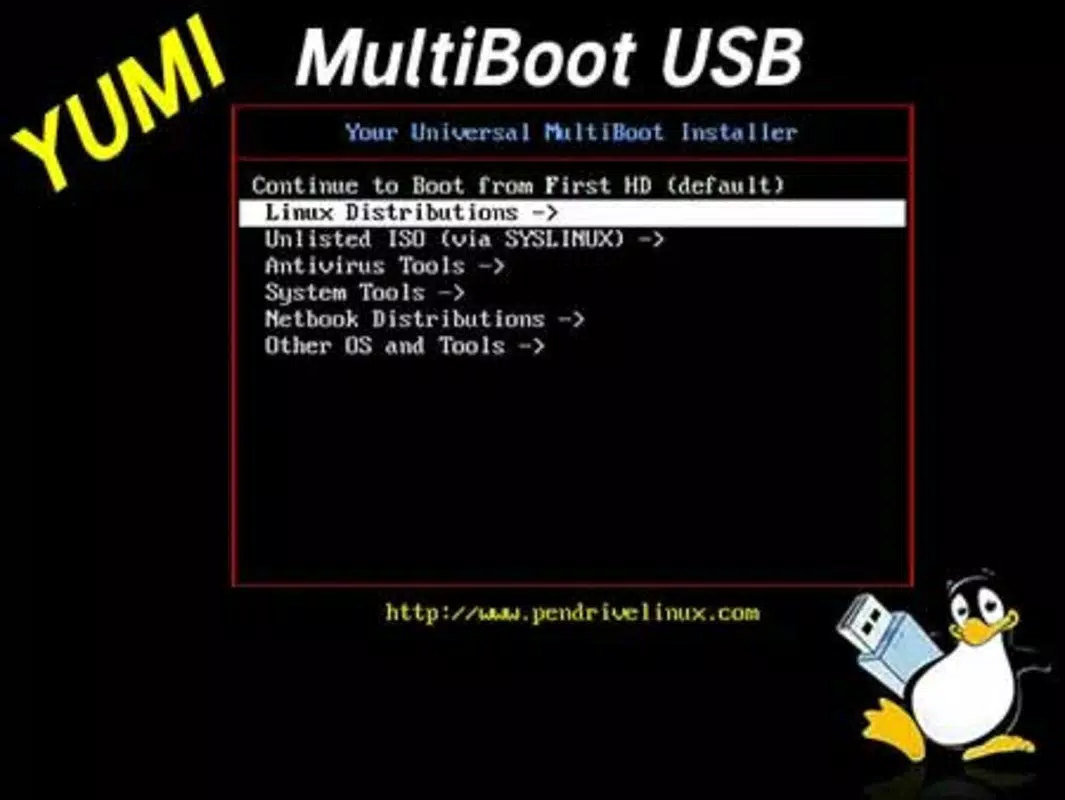
- Multi-System Boot Support – Enables the integration of multiple ISO images from various operating systems (e.g., Linux distributions, Windows PE, recovery tools) onto a single USB drive, allowing users to boot into different environments without switching media.
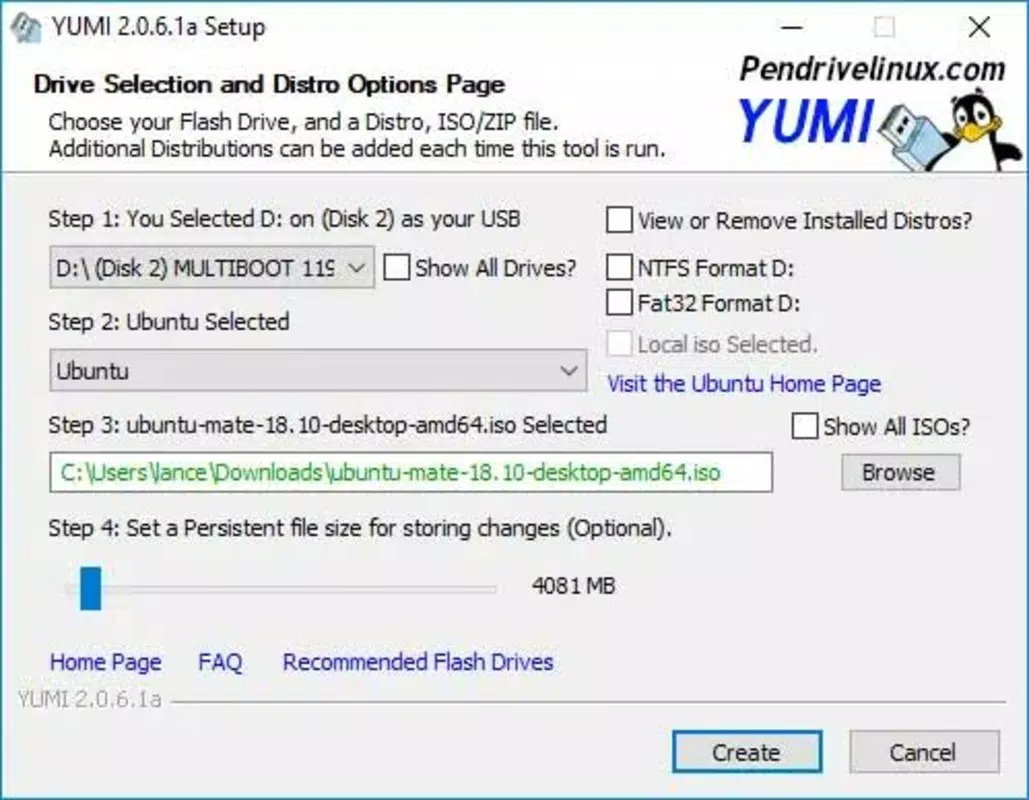
- ISO Image Integration – Provides a straightforward interface to select and add ISO files from local storage, supporting a wide range of system installer formats commonly used in system deployment and recovery.
- Portable Boot Disk Creation – Transforms any USB flash drive or external hard disk into a fully functional, portable all-in-one boot disk, ideal for on-the-go system troubleshooting and installation tasks.
- On-Device Management – Allows users to manage, edit, or remove ISO entries directly from the Android device, offering flexibility in maintaining and updating the boot disk content.
- Compatibility with Standard Boot Protocols – Ensures that the created bootable drives are recognized by standard BIOS and UEFI firmware, maximizing device compatibility across older and newer systems.
For example, a system administrator could use YUMI to prepare a single USB drive containing a Linux live environment, a Windows PE recovery tool, and a disk imaging utility. During field service, they could boot any target machine and choose the appropriate tool from the menu without needing multiple drives. Similarly, a student learning system administration could use the app to experiment with different operating systems on various hardware, all from one portable device.
Interface, UX & Performance
The user interface of YUMI is designed with functionality and clarity in mind, prioritizing ease of use for both novice and experienced users. The layout follows a linear workflow: users begin by selecting a storage device, then add ISO files, and finally initiate the boot disk creation process. Navigation is intuitive, with clearly labeled buttons and visual feedback during each step, reducing the likelihood of user error.
Visual style is minimalistic and functional, focusing on essential controls and file listings without unnecessary distractions. The app maintains a consistent design language across screens, contributing to a seamless user experience. Although the developer did not list formal performance metrics, the app’s lightweight nature—measuring just 15.2 MB—suggests efficient resource usage and minimal impact on device performance.
Responsiveness is maintained across different device categories, including mid-range and high-end Android smartphones and tablets. The app handles file operations smoothly, with no reported delays during ISO selection or drive formatting. Stability appears robust, with no indications of crashes or freezes during typical usage scenarios. However, the developer did not specify minimum OS requirements, so compatibility may vary depending on the device’s firmware and USB OTG support.
Platform Compatibility & Technical Requirements
YUMI is available on the Android platform and requires a device with USB On-The-Go (OTG) functionality to connect and configure external storage devices. The app is compatible with Android devices that support external USB drives and flash drives, although specific hardware and OS version requirements were not listed by the developer.
The application size is 15.2 MB, making it a lightweight download suitable for devices with limited storage. The current version is 1.0.0, released on April 5, 2025. Users can install the app directly from the official Android store or through trusted third-party sources, though the developer did not provide details on APK availability or update frequency.
Since the developer did not specify minimum OS requirements, users are advised to ensure their device supports USB OTG and has sufficient storage for both the app and the target boot drive. Compatibility with specific Android versions or device models was not disclosed, so testing on individual devices may be necessary to confirm full functionality.
Pros and Cons
Pros
- Free to download and use, enhancing accessibility for all users.
- Lightweight at only 15.2 MB, minimizing storage impact.
- Supports multi-system booting from a single USB device.
- Intuitive interface designed for easy ISO integration and drive management.
- Enables portable system installation and recovery without additional media.
Cons
- Specific OS and hardware compatibility requirements were not disclosed.
- No information provided on update frequency or future development plans.
- USB OTG support is required, which may not be available on all Android devices.
- Developer did not list detailed technical specifications or performance benchmarks.
- File size and version details are minimal; no information on app optimization for low-end devices.
FAQ
Is YUMI safe to use on my Android device?
Yes, YUMI is a free and secure mobile app designed for creating bootable USB drives. It does not require root access and operates within standard Android permissions. As long as the ISO files used are from trusted sources, the app itself poses no known security risks.
Can I use YUMI with any USB flash drive?
YUMI works with USB flash drives and external hard disks that are compatible with your Android device’s USB OTG functionality. While the app supports standard drives, performance and compatibility may vary depending on the device’s hardware and firmware.
Does YUMI support Windows ISO files?
Yes, YUMI supports a wide range of ISO images, including those used for Windows installation and recovery environments. The app is designed to integrate various system installer formats, making it suitable for multi-system booting scenarios.
Do I need root access to use YUMI?
No, YUMI does not require root access. It operates using standard Android permissions and USB OTG capabilities, allowing users to create bootable drives without modifying system-level settings.
How do I update YUMI?
Updates are available through the official Android app store. The developer did not specify a release schedule, so users are advised to check the app listing periodically for new versions.
Final Thoughts
YUMI stands out as a practical and efficient tool for users seeking to streamline system deployment and recovery tasks on the go. Its ability to transform a single USB drive into a versatile, multi-system boot disk makes it a valuable asset for IT professionals, educators, and tech-savvy individuals. The app’s free pricing model, lightweight design, and clear interface enhance its appeal, offering a reliable solution without added cost or complexity.
While the developer did not provide detailed technical specifications or update information, the app’s core functionality remains focused and effective. For anyone needing a portable system installer or a way to manage multiple OS environments from one device, YUMI delivers strong value. Its support for ISO integration and multi-system booting positions it as a key utility in the Android tools ecosystem.
Download YUMI now


